Changing Stata's interface to other languages
Stata’s interface is available in Chinese, Japanese, Korean (new in Stata), Spanish, and Swedish. Today, we would like to show you how to change your menus to other languages.
1. Changing language manually
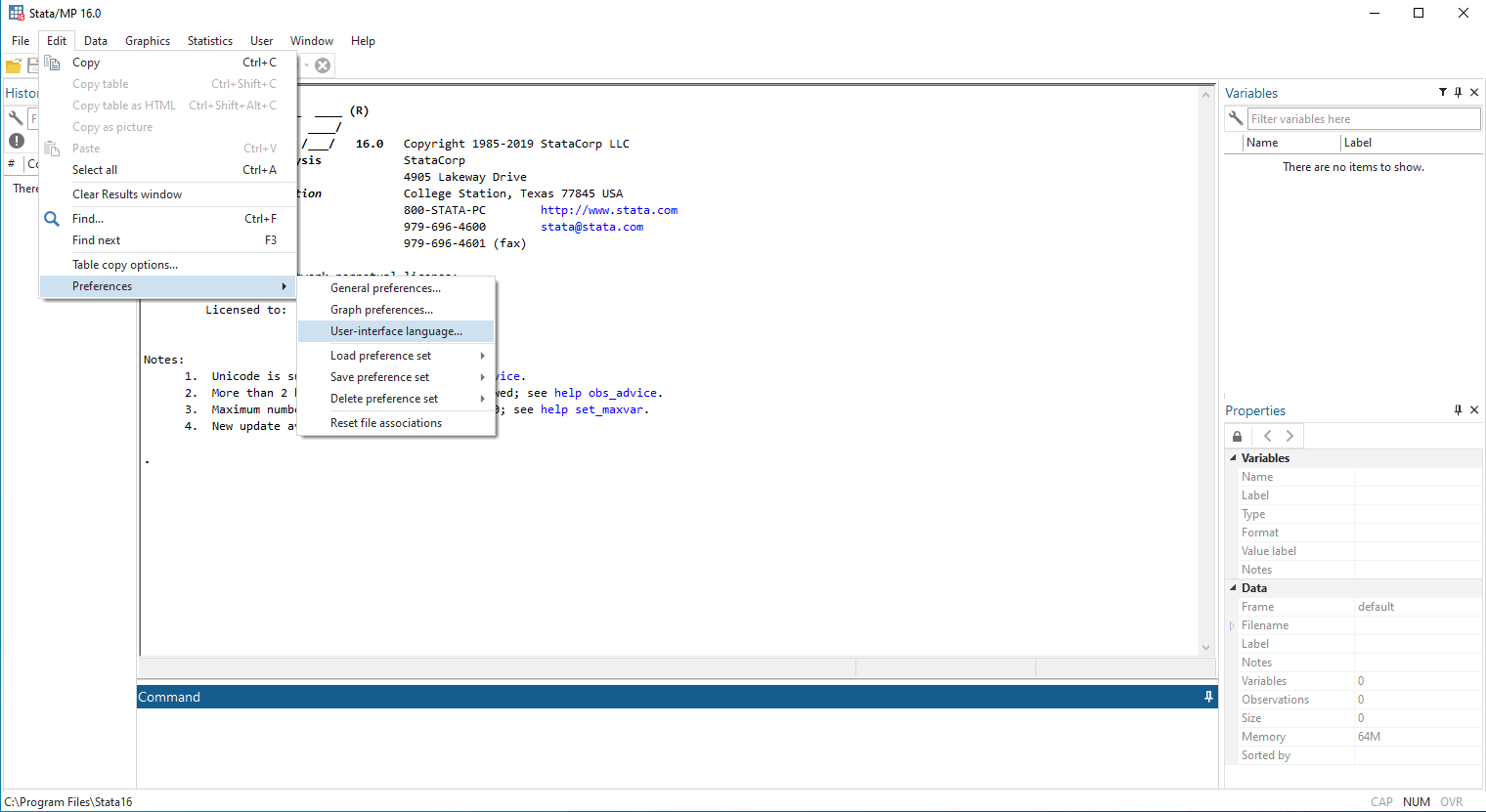
To change languages manually using Windows or Unix, select Edit > Preferences > User-interface language…
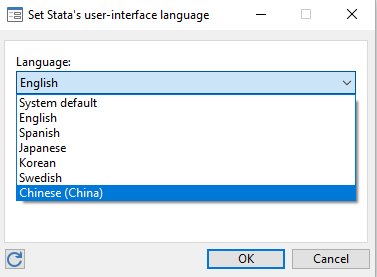
Then select your preferred language as your interface language. For example, if you choose Chinese (China), the language will be changed to Chinese, you will need to restart Stata to make this change effective.
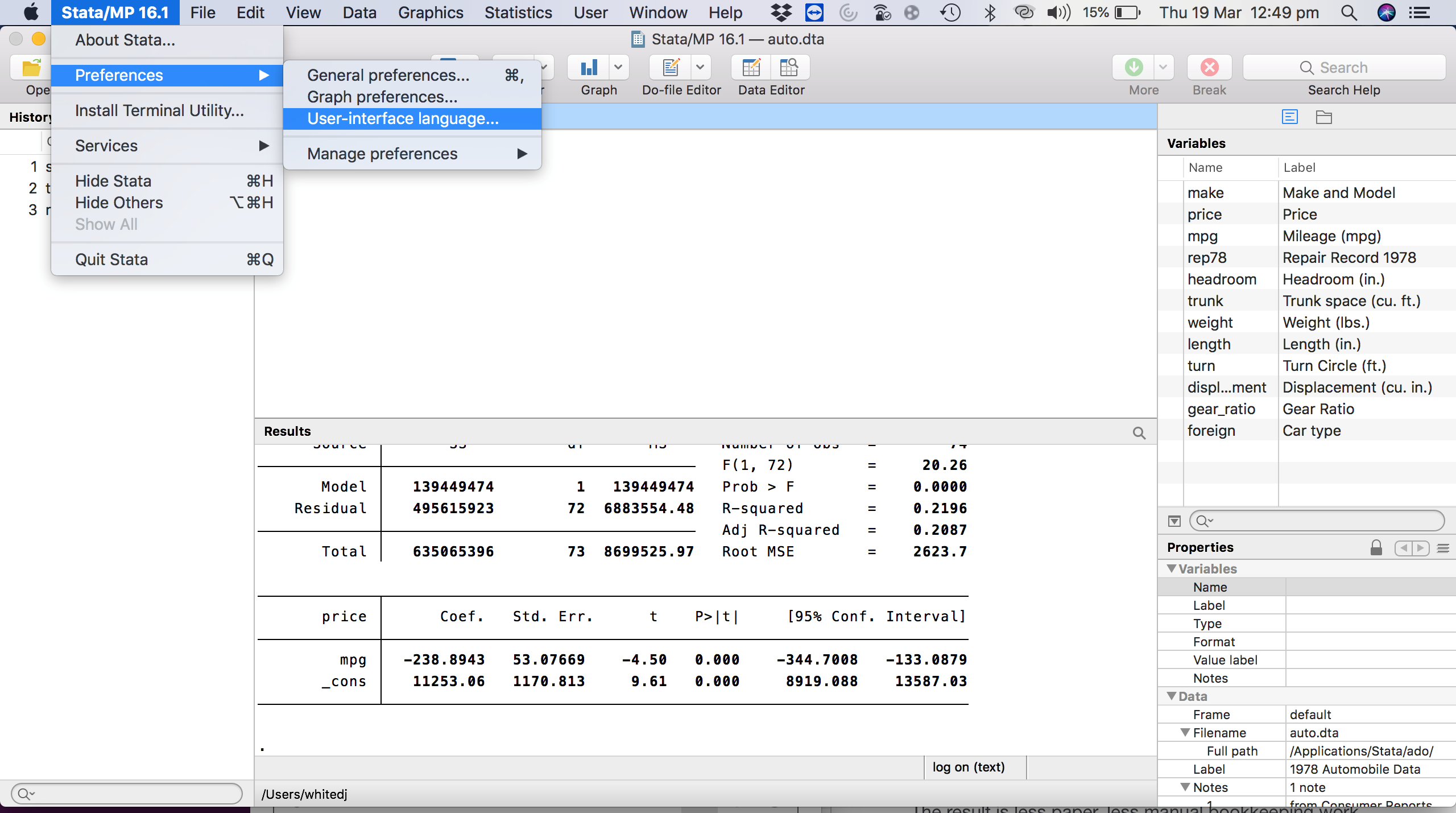
If you are using Mac, select Preferences > User-interface language…
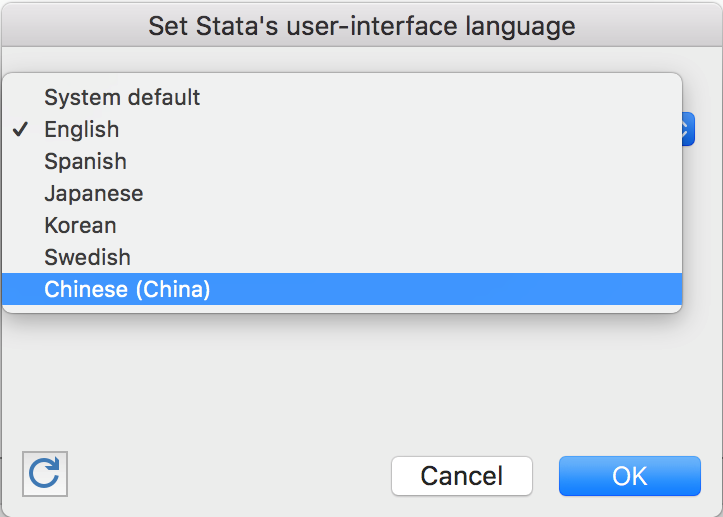
Similar to using Windows or Unix, you may select your preferred language as your interface language. For example, if you choose Chinese (China), the language will be changed to Chinese, Again, you will need to restart Stata to make this change effective.
2. Changing language using command
You can also change the language using the set locale_ui command. The syntax is set locale ui locale. You can use the system locale for user interface localisation.
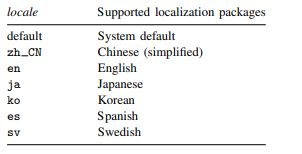
For example, if you wish to change the user interface language to Chinese, you would type:
set locale_ui zh_CN
Again, you will need to restart Stata to effect the change.